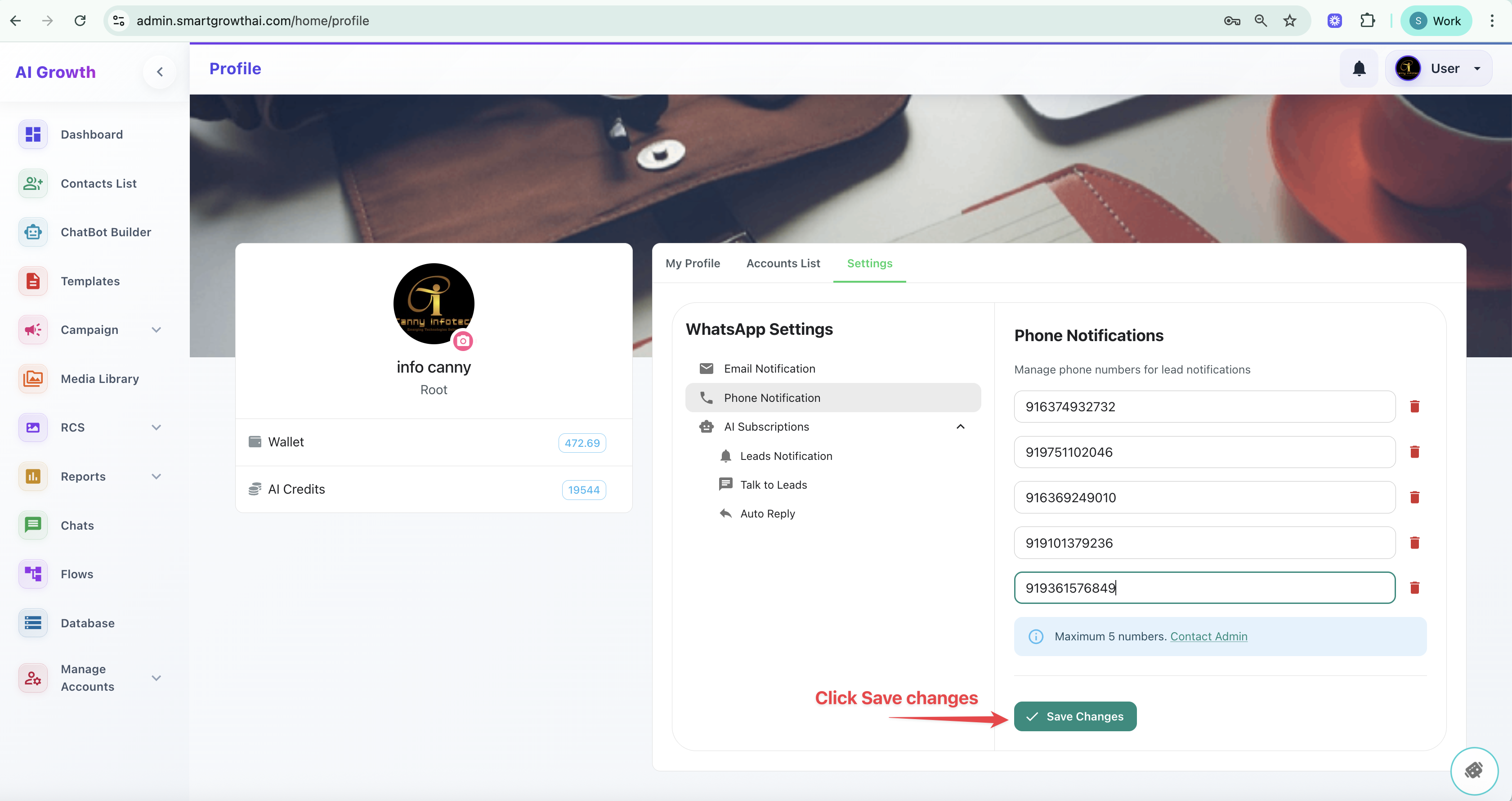
Step 1:
1. Login Your Official whatsapp Account
-
-
- Official Whatsapp URL : https://admin.smartgrowthai.com/login
- Login with your credentials (Username and password)
-
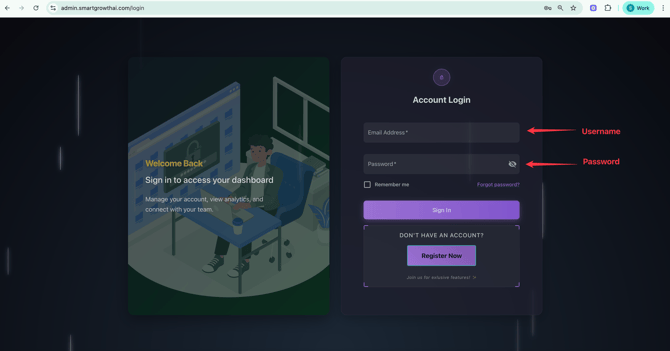
Step 2:
After The Log In :
Click the USER on Top Right Corner
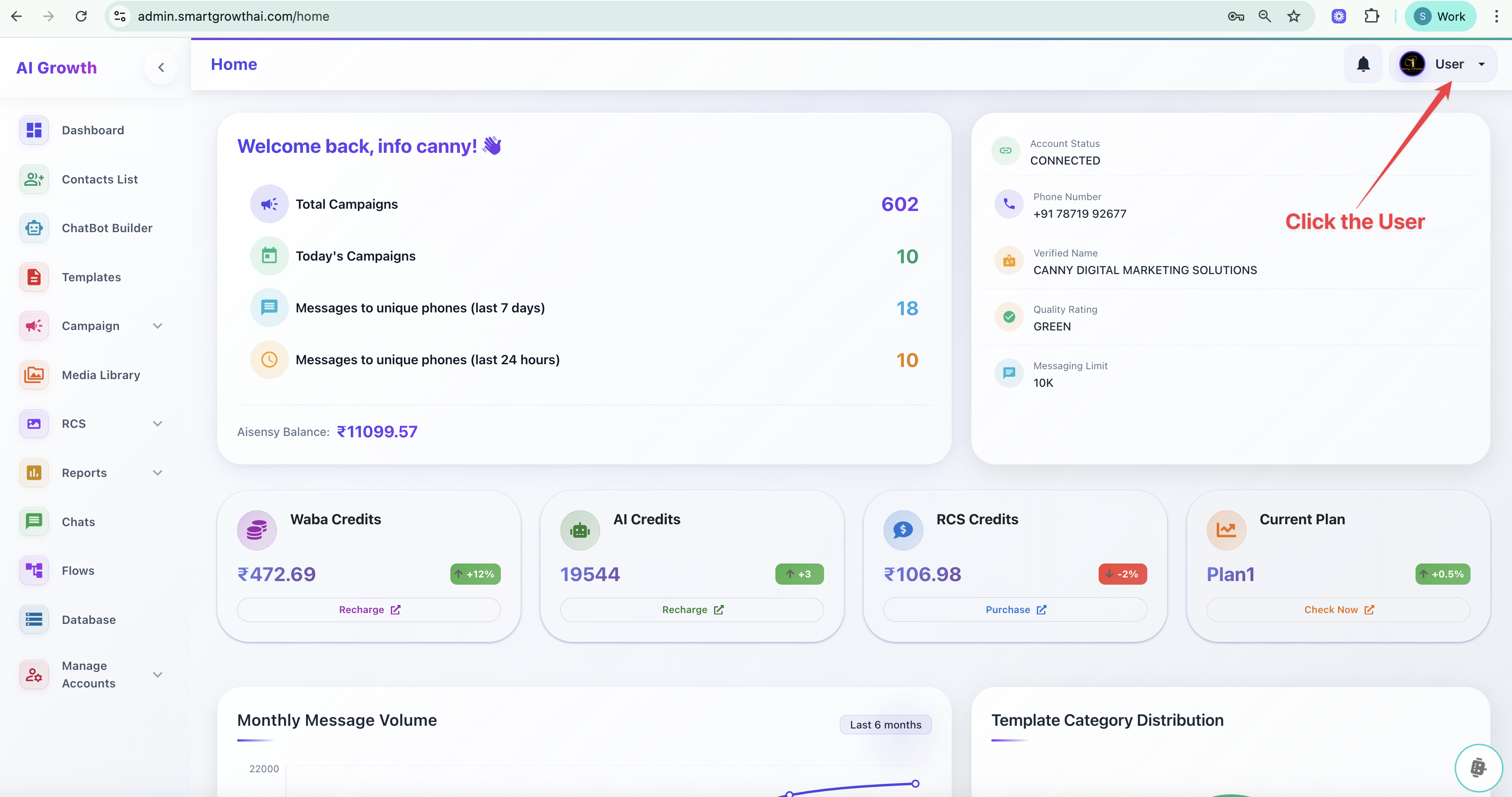
Step 3:
Click Profile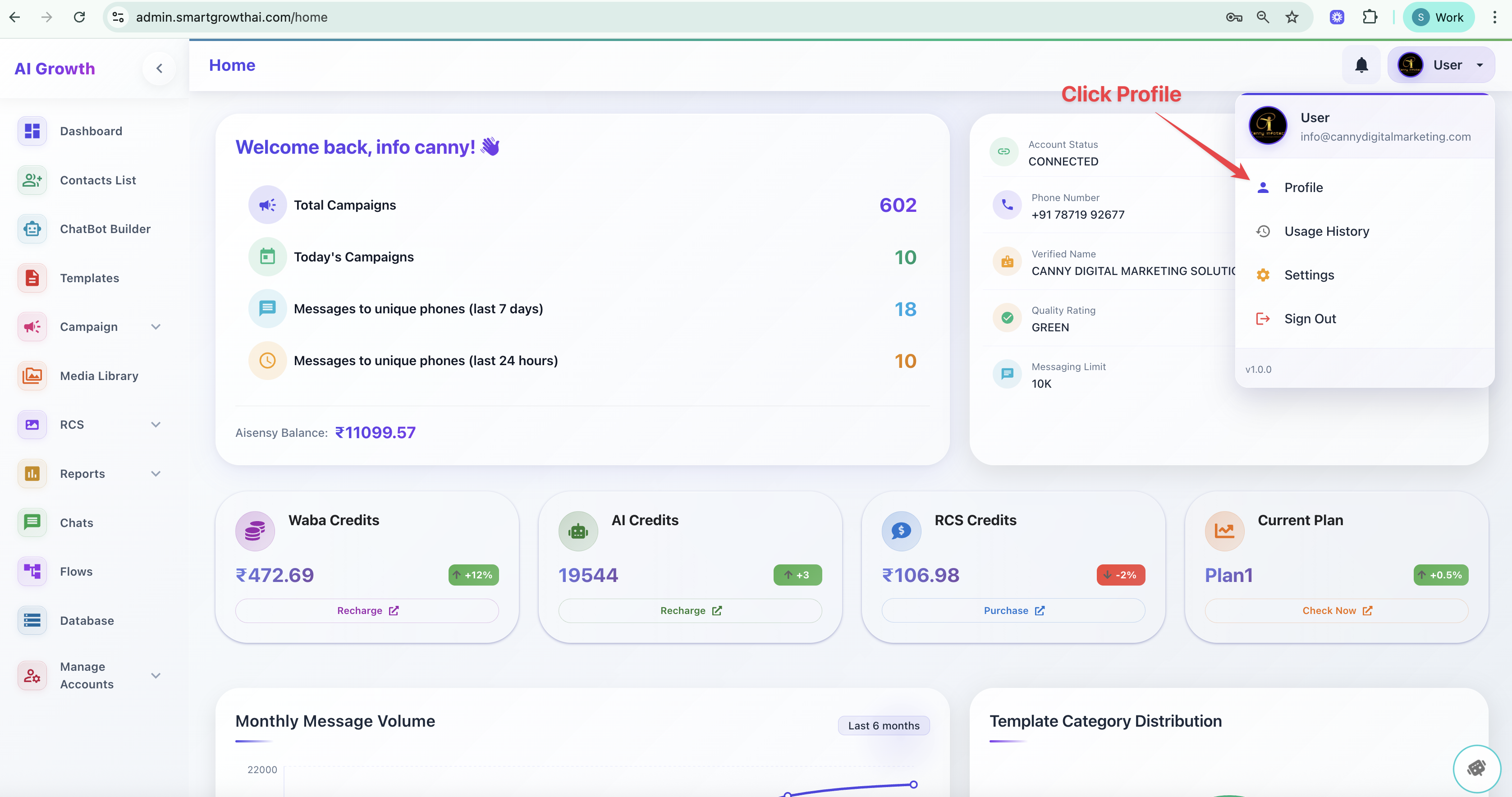
Step4:
Click SETTINGS option
Step 5:
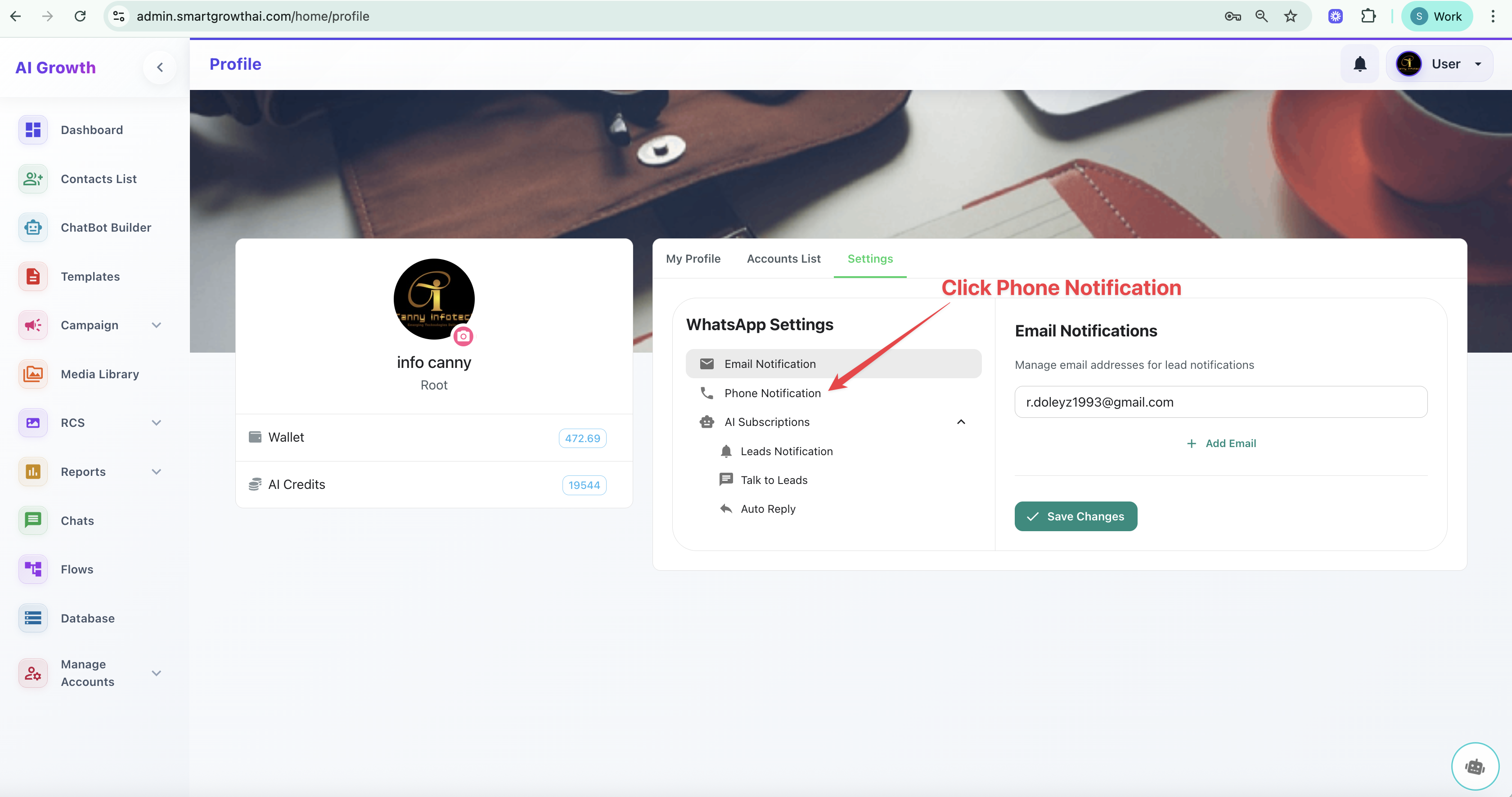
Click PHONE NOTIFICATION option
Step 6:
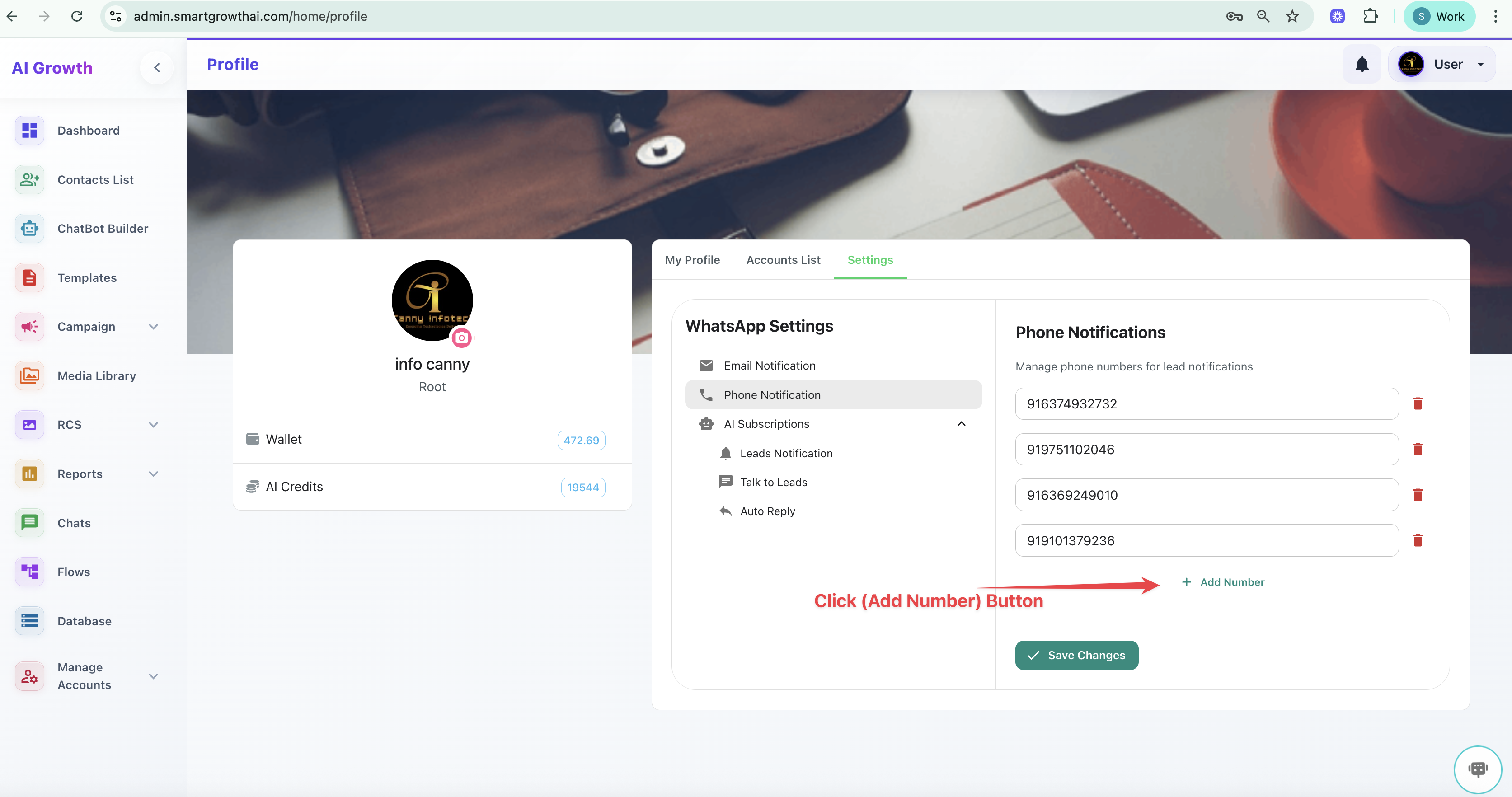
Add a New Number - with clicking a ADD NUMBER button
STEP 7:
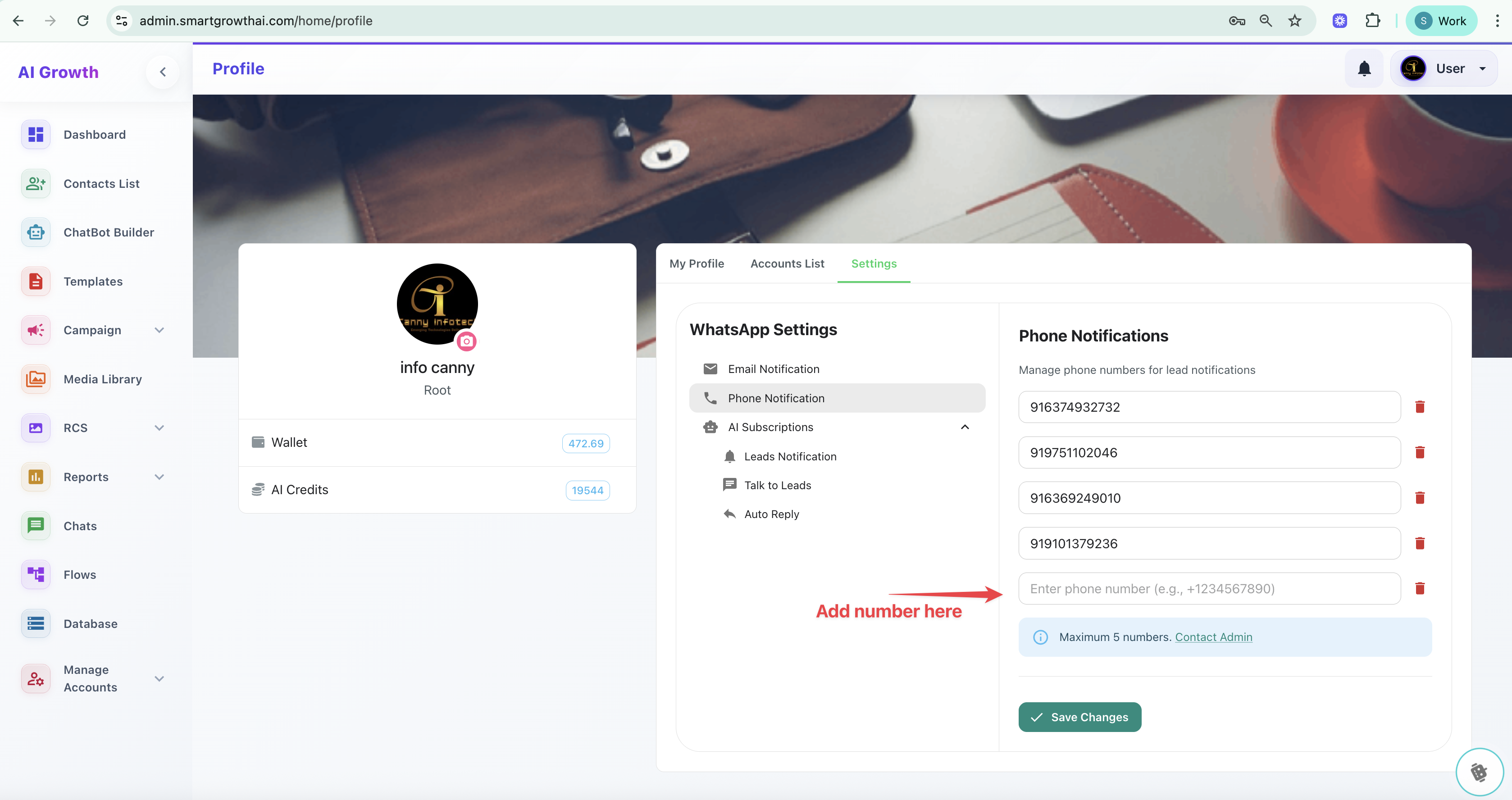
Just Type a number here
STEP 8:
After Enter a number - Click SAVE CHANGES
NOTE: You can add only 5 Numbers
After Enter a number - Click SAVE CHANGES
NOTE: You can add only 5 Numbers