
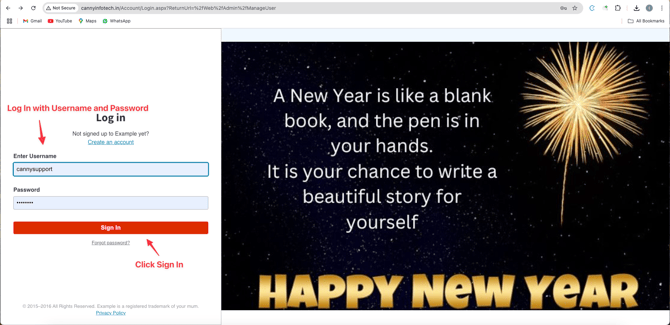
1. Log In
- Go to the login page and enter your Username and Password .
- Click Submit .
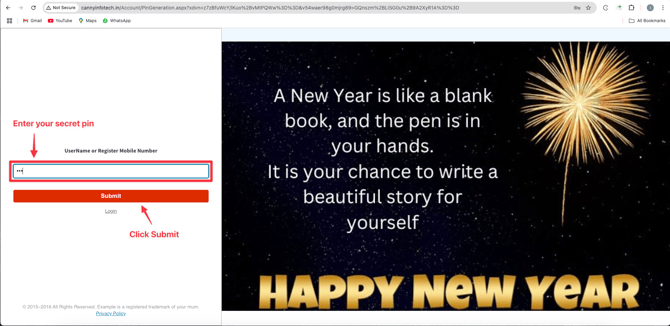
2. Authentication
• Enter the Secret Code sent to your device.
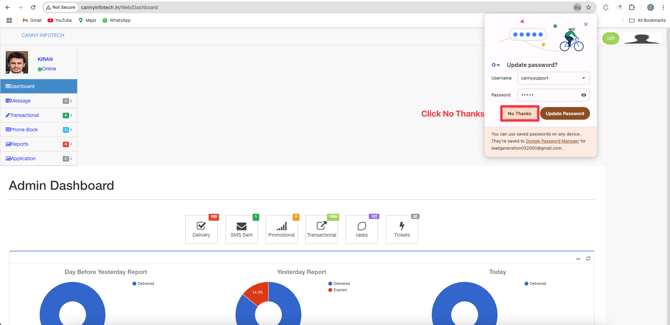
• Select No Thanks if prompted to save the code (optional).
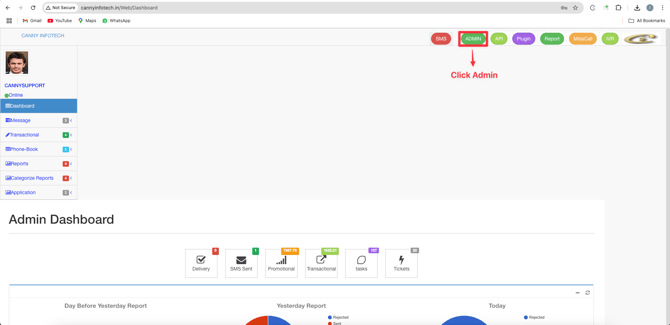
3. Access Admin Panel
- Click Admin in the navigation menu.
2. Select User to switch to user-specific settings.
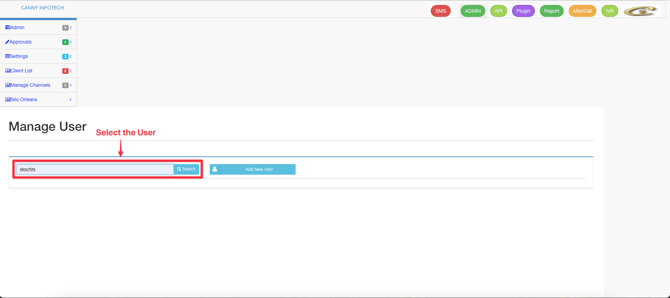
4. Search & Navigate
- Click Search
- Select Message Management from the results.
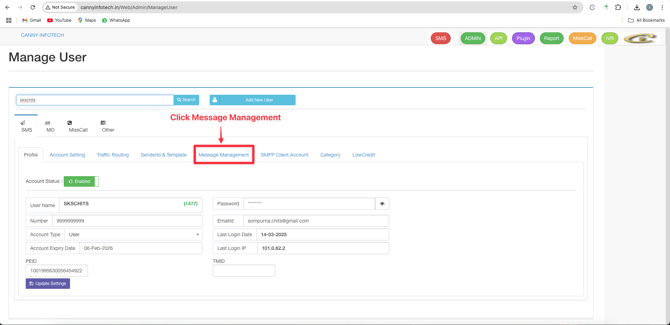
- Select Send Message from the results.
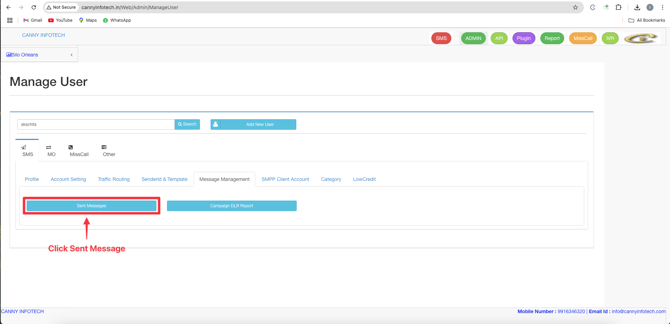
5. Review Error Reports
- A new window will open with a table containing:
- Error Code : Specific error identifier.
- Date : When the message was sent.
- Sender ID : Sender details.
- Number : Recipient’s phone number.
- Status : Delivered/Undelivered/Failed.
- Delivered Date : Timestamp for successful delivery.
- Interface Error Code : Technical error details.
- Gateway : Messaging gateway used.
- DLT Param : Compliance-related metadata.
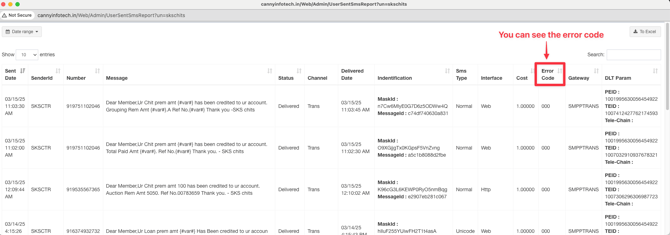
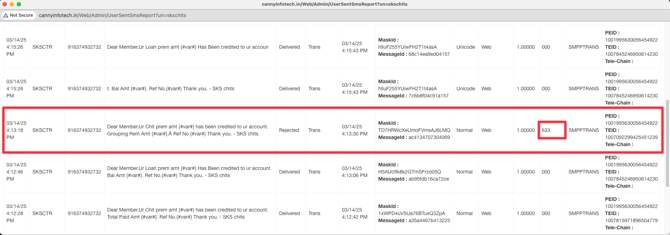
Key Columns Explained
⚠️ Critical Fields to Check:
- Error Code : Use this to troubleshoot failures (e.g., “Invalid Number” or “Gateway Timeout”).
- Status : Identifies if messages succeeded or failed.
• DLT Param : Ensures compliance with messaging regulations.