
Step 1: Log In
- Sign in using your User ID and Password .
- No credentials? Contact your account manager.
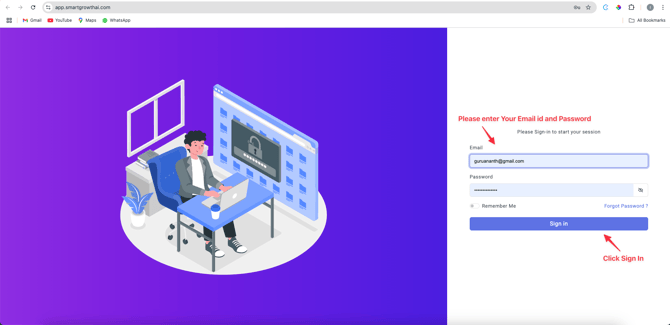
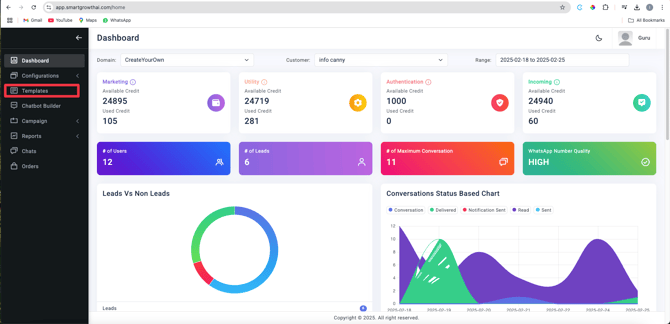
•Access the Dashboard
• On the left-hand menu, locate and select Templates .
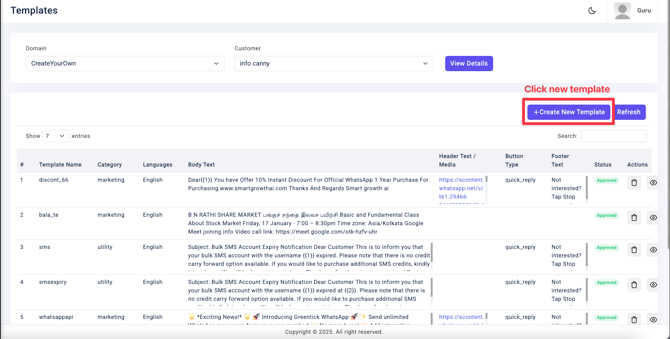
• Click on New Template
3. Configure Basic Settings
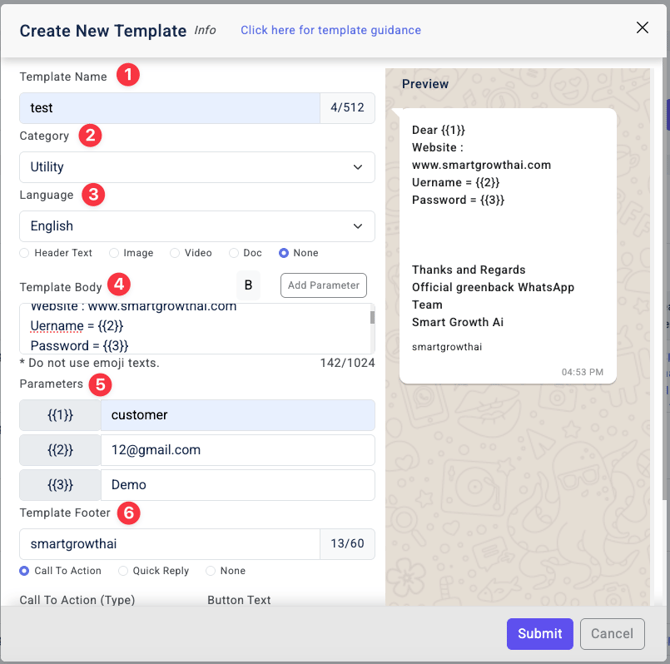
- Template Name:
- Use lowercase letters with no spaces (e.g., welcome_message).
- Category: Select Utility (required for functional templates).
- Language: Choose your preferred language.
- Media:
• Select None or upload an image (≤5MB).
4. Add Variables & Parameters
- Rules:
- Every utility template must include variables .
- Use the Add Parameter button to insert placeholders.
- Parameter Limits:
- 1 parameter = 100 characters max.
- Order matters:
5. Design Your Message
- Message Content:
- Avoid marketing terms like “discount,” “offer,” or “free” (messages may be blocked).
- Place your brand name at the end of the message.
6. Set Up Call-to-Action (CTA)
- Click Call Action Button .
- Choose between:
- Call Phone Number
- Visit Webpage (e.g., [Your URL]).
7. Review & Submit
- Double-check variables and branding.
2. Click Submit .
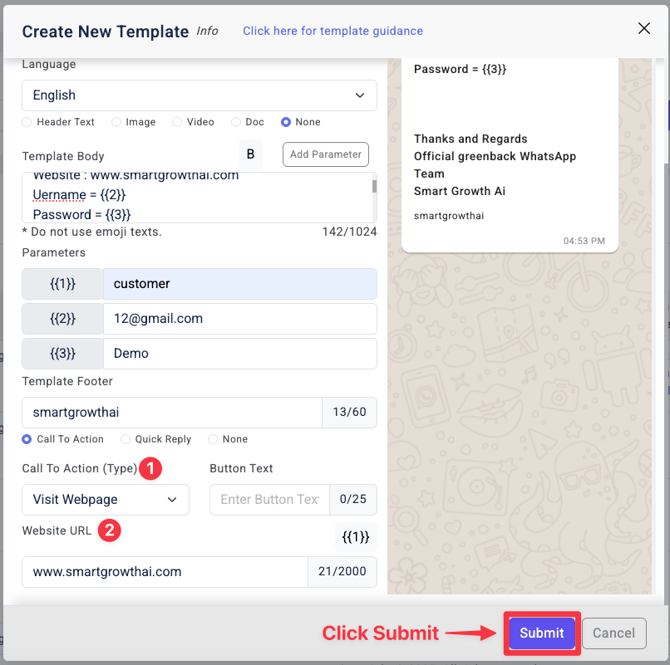
- Refresh the page 2–3 times to ensure submission success.