
Step 1: Login to Your Account
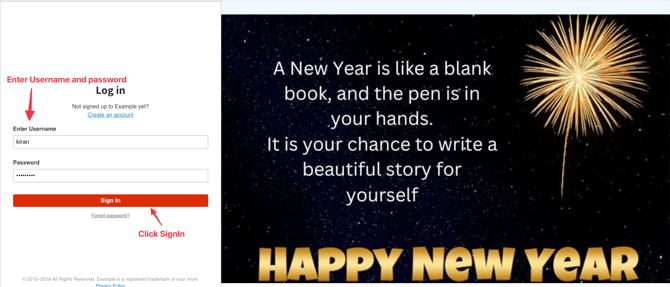
- Enter your User ID and Password to log in.
• If you do not have a User ID or Password, please contact your account manager for assistance.
• Once logged in, click on Signing
- Access the SMART SMS Report
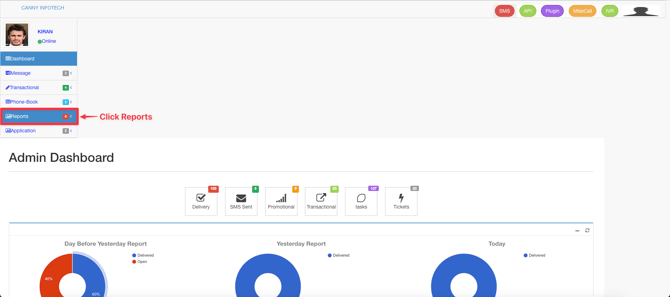
- Log in to your dashboard.
- On the left-hand side, locate and click on "Reports" .
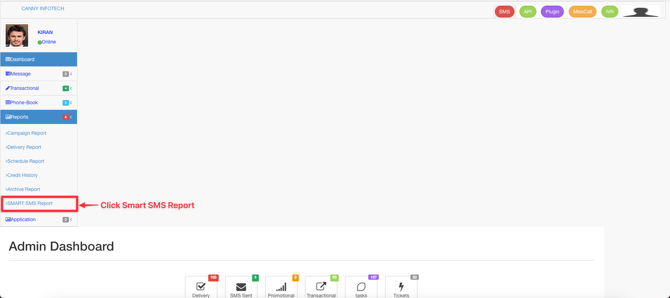
- From the dropdown menu, select "SMART SMS Report" .
-
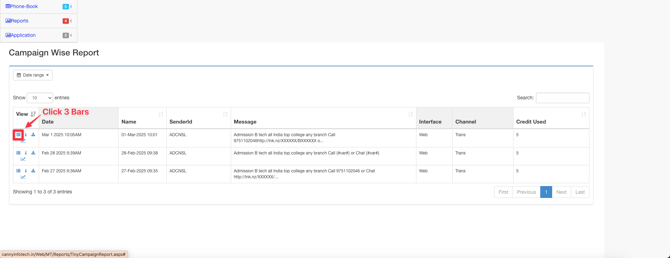
- To access more features, click the three-bar icon (hamburger menu) located near the report table.
- Here’s what you can do:
- View Detailed Insights : See a summary of all the SMS campaigns you’ve sent, including sender IDs, recipient numbers, content, status, timing, and date.
Additional tips:
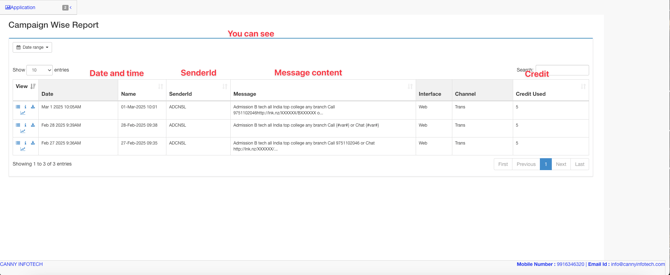
- Once you’ve selected the SMART SMS Report, a detailed table will appear below.
- The table includes the following key information:
- Sender ID : The identifier used to send the SMS.
- Numbers : The list of recipient phone numbers.
- Content : The text content of the SMS.
- Status : The delivery status (e.g., Sent, Delivered, Failed).
- Timing and Date : The exact time and date when the SMS was sent.
- The table includes the following key information:
-
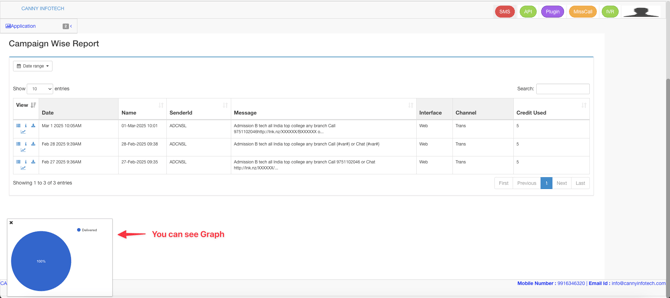
- Click the "i" icon to open a graphical representation of your SMS campaign data.
- The graph provides a visual breakdown of key metrics such as delivery rates, success rates, and engagement trends over time.
4.Download the Report
-
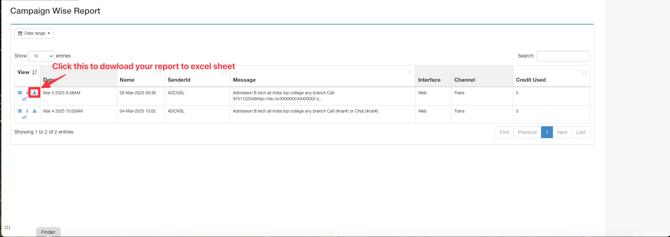
- To export the report for offline use, click the download icon .
- The report will be saved as an Excel sheet, which you can share or analyze further.
5.Track URL Performance
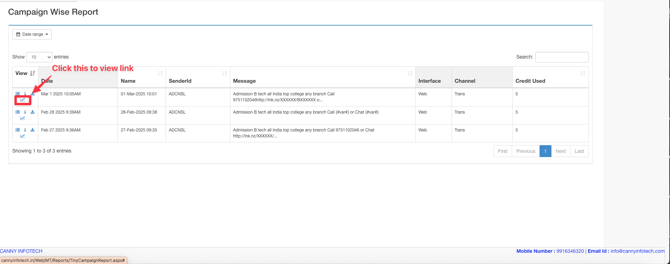
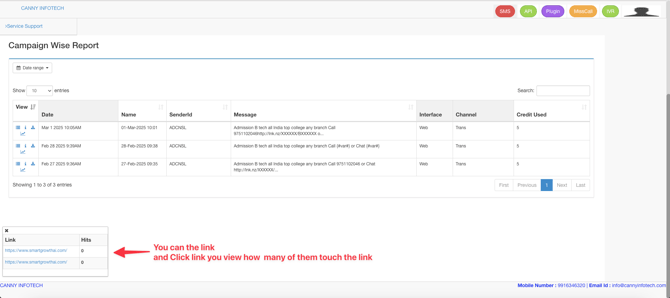
• If your SMS includes clickable links, you can track their performance by clicking the URL track icon .
Additional Tips:
This feature allows you to see:
- Who clicked the link.
- How many times the link was clicked.
• The overall engagement with the link.