Step-by-Step Procedure
1. Login Your Official whatsapp Account
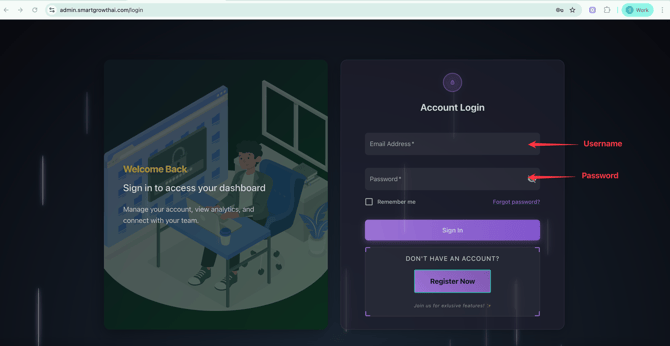
- Official Whatsapp URL : https://admin.smartgrowthai.com/login
- Login with your credentials (Username and password)
2. Send Campaign
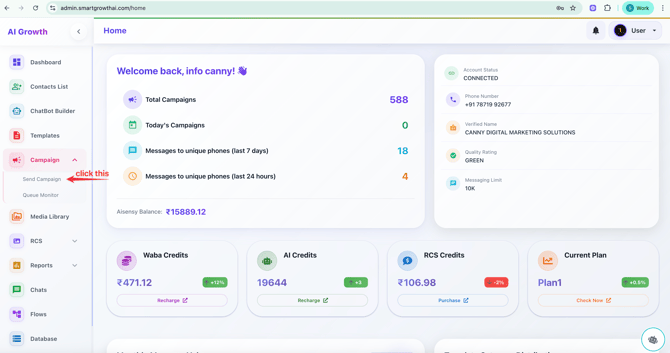
In left side list - Select send campaign
3. Campaign Details
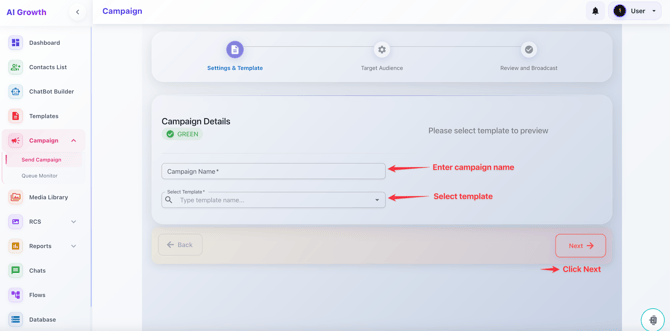
Campaign name as your wish But its unique all the time
Select the template which already Approved
STEP 4.Campaign Details
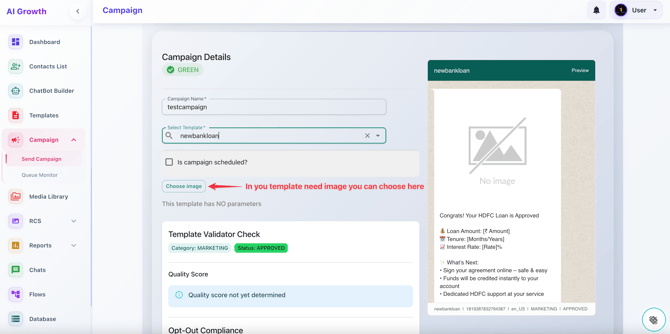
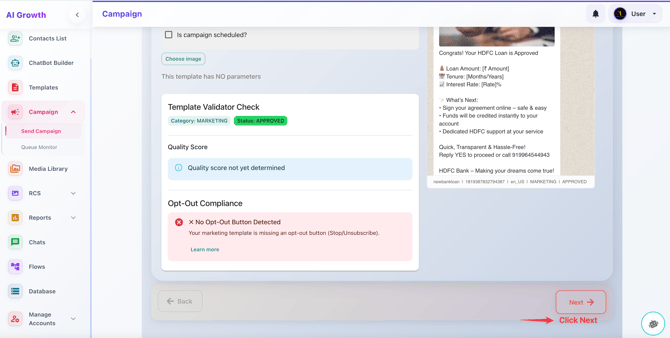
In your template if you give (Image or Video) you want to choose it here, which already uploaded in media library
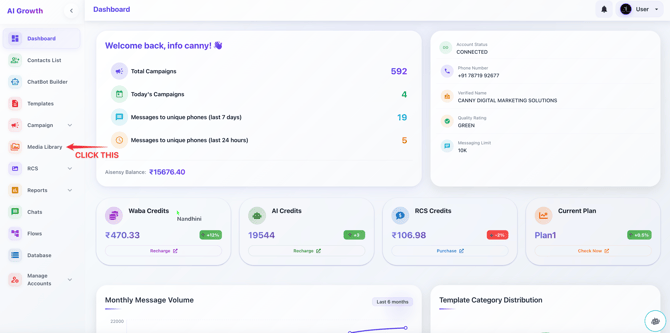
How to upload Media in Media Library
IMAGE SIZE : Below 3MB
VIDEO SIZE : Below 10MB
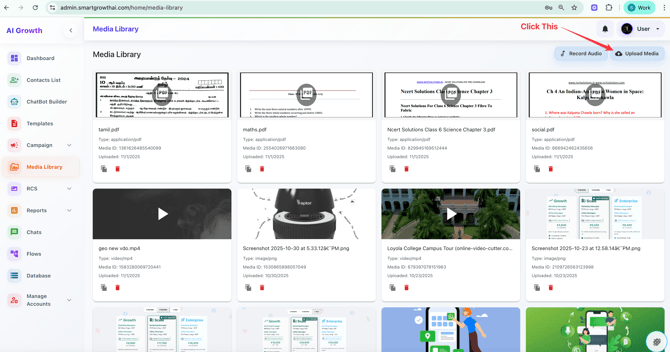
Click - Upload Media Button
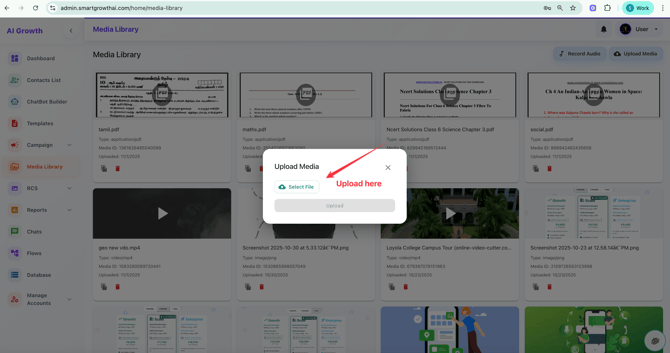
Upload here from your Local storage (Image, video, PDF)
If it Marketing template compulsory needs a negative button require otherwise This is OPT-OUT COMPLIANCE Warning will display
Some sample OPT-OUT Buttons:
1. Not Interested
2. Stop Promotion
3. Remove my Number
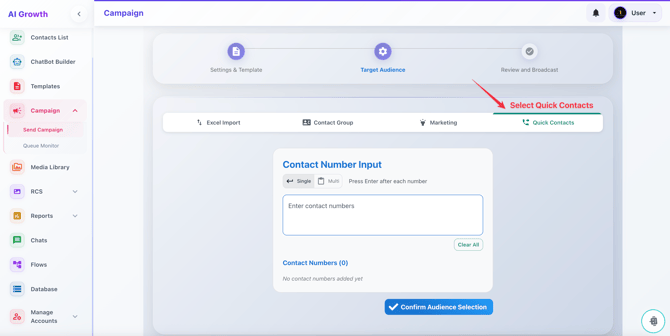
4. Select Quick Contacts
Copy Paste the Number from your Excel Sheet to Here
Country Code Must (91)
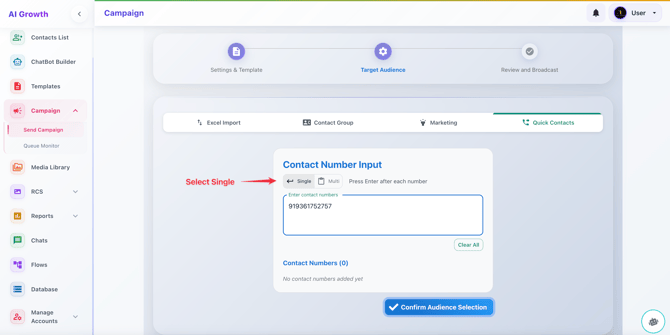
5. Contact Number
If it is Single Number you can select single Option
If it is Multi Number you can select Multi Option
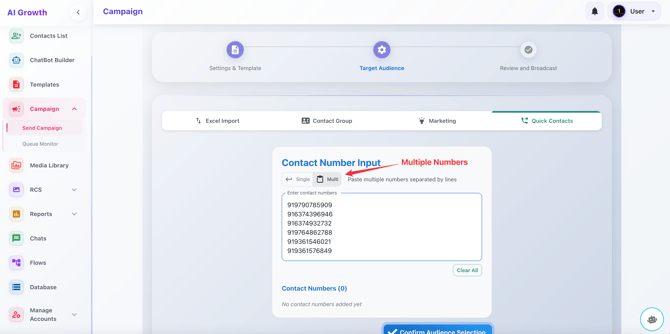
After select the single or multiple numbers, Click ENTER
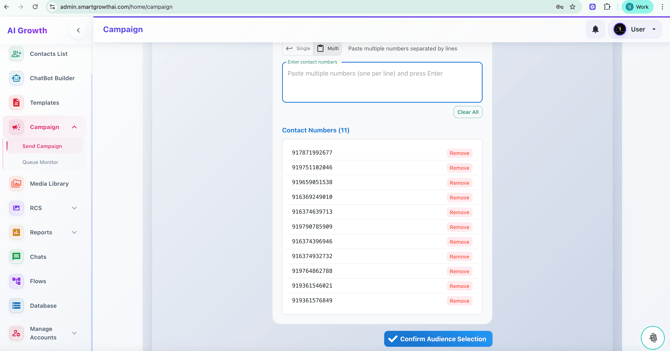
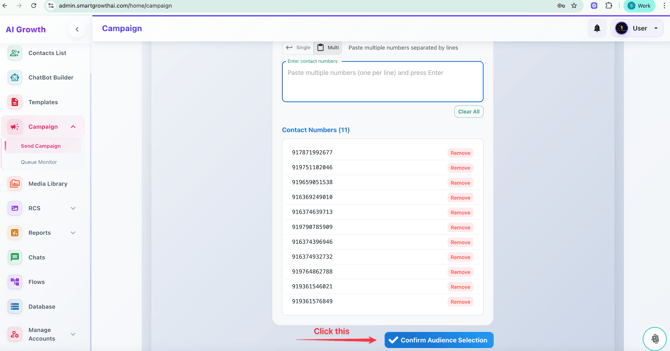
Click Confirm Audience Selection Button
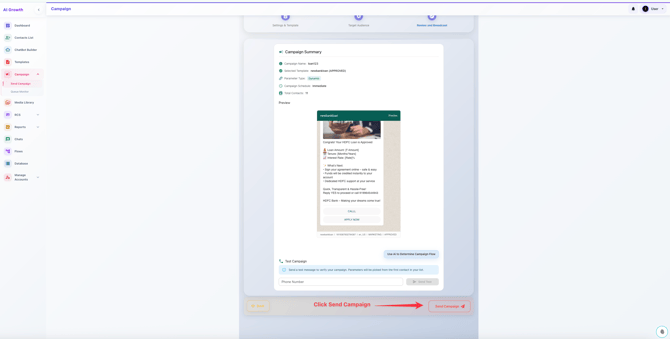
Click the Send Campaign Button