Step-by-Step Procedure
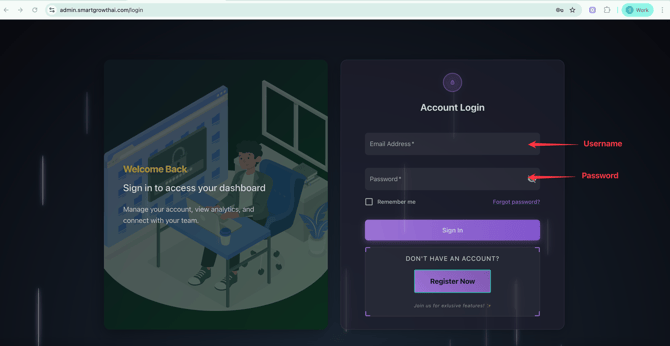
1. Login Your Official whatsapp Account
- Official Whatsapp URL : https://admin.smartgrowthai.com/login
- Login with your credentials (Username and password)
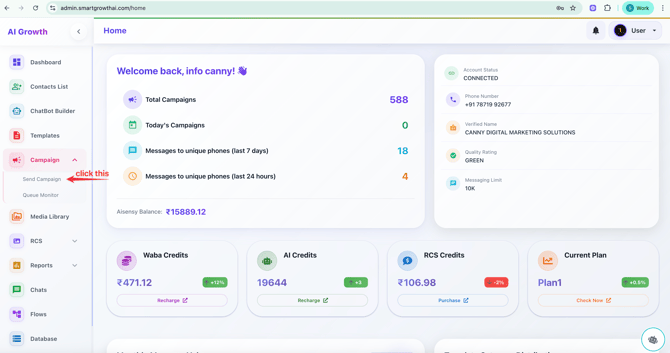
2. Send Campaign
In left side list - Select send campaign
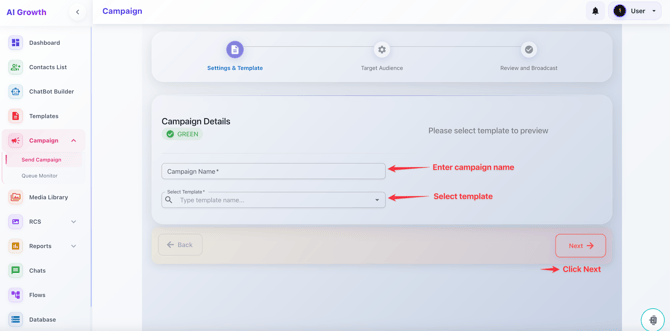
3. Campaign Details
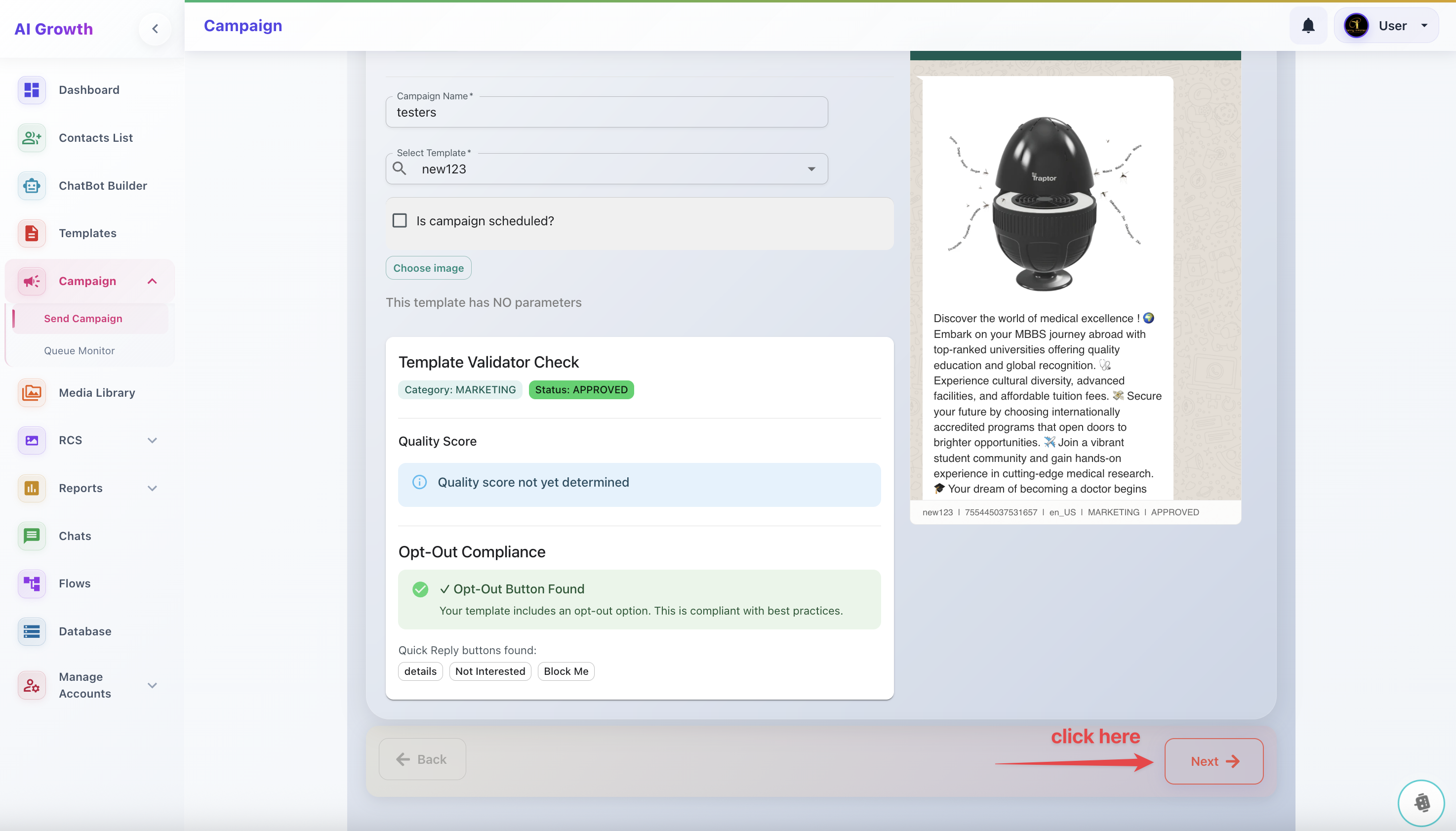
Campaign name as your wish But its unique all the time
Select the template which already Approved
STEP 4.Campaign Details
In your template if you give (Image or Video) you want to choose it here, which already uploaded in media library
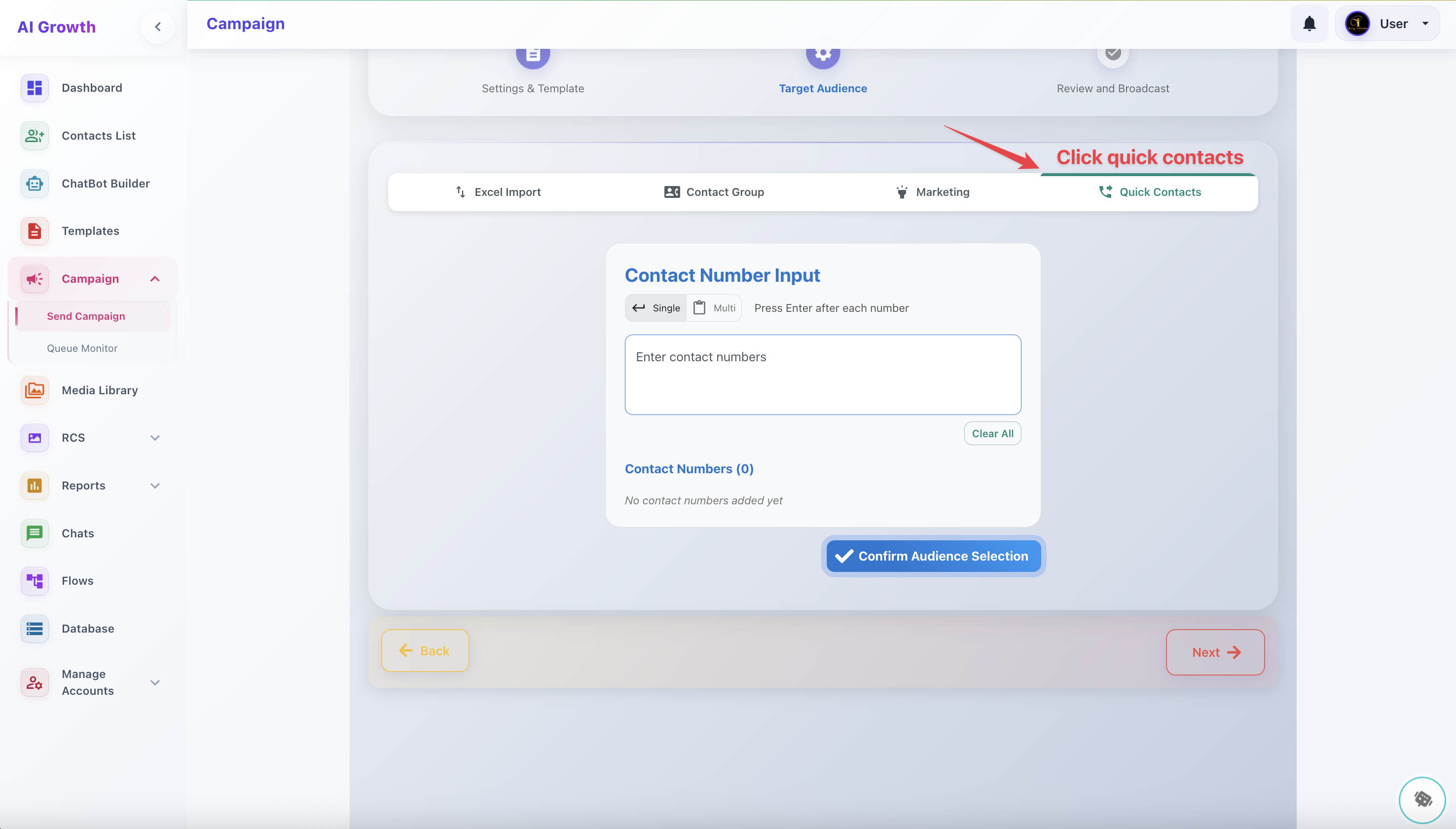
4. Select Quick Contacts
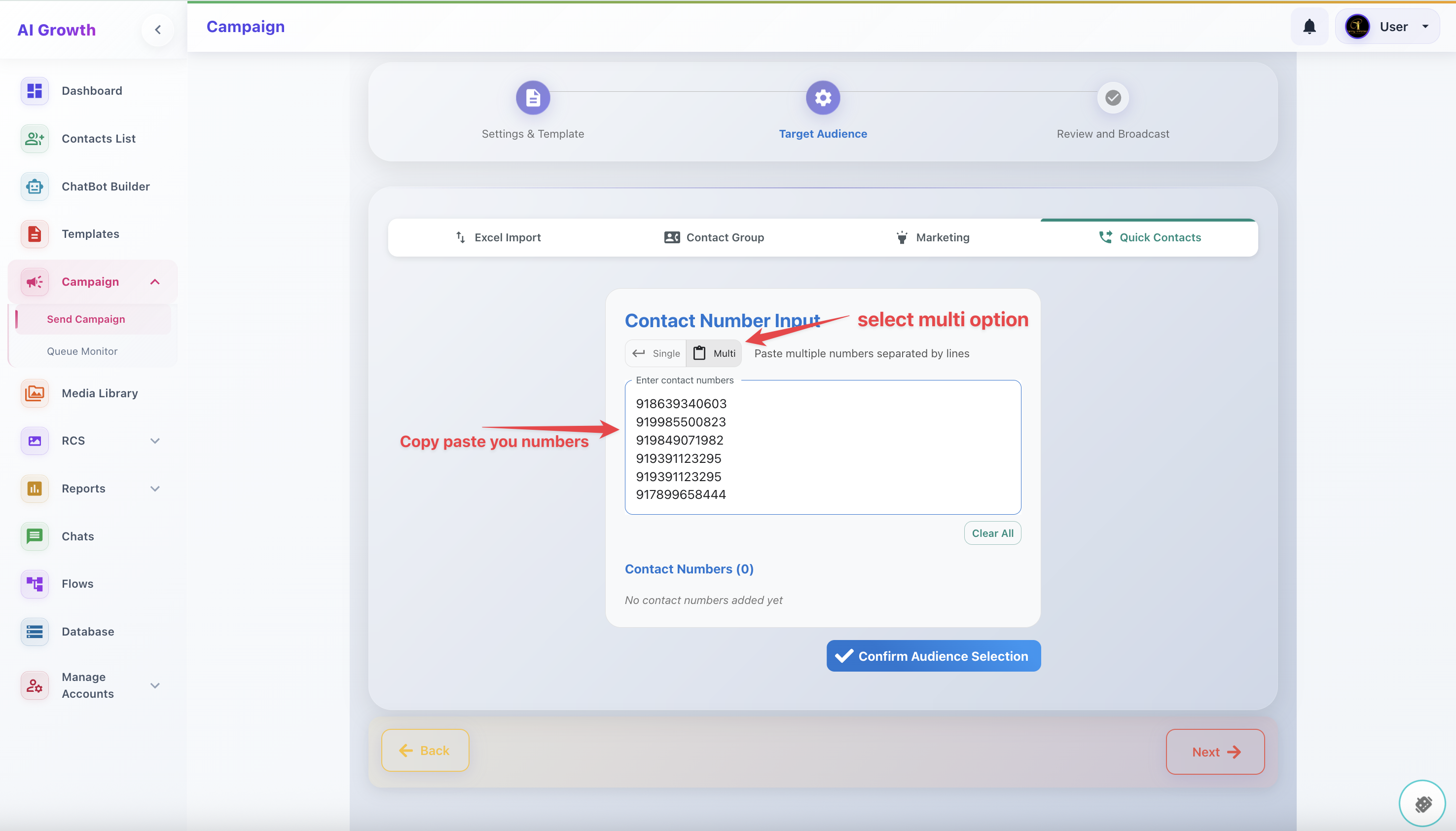
Copy Paste the Number from your Excel Sheet to Here
Country Code Must (91)
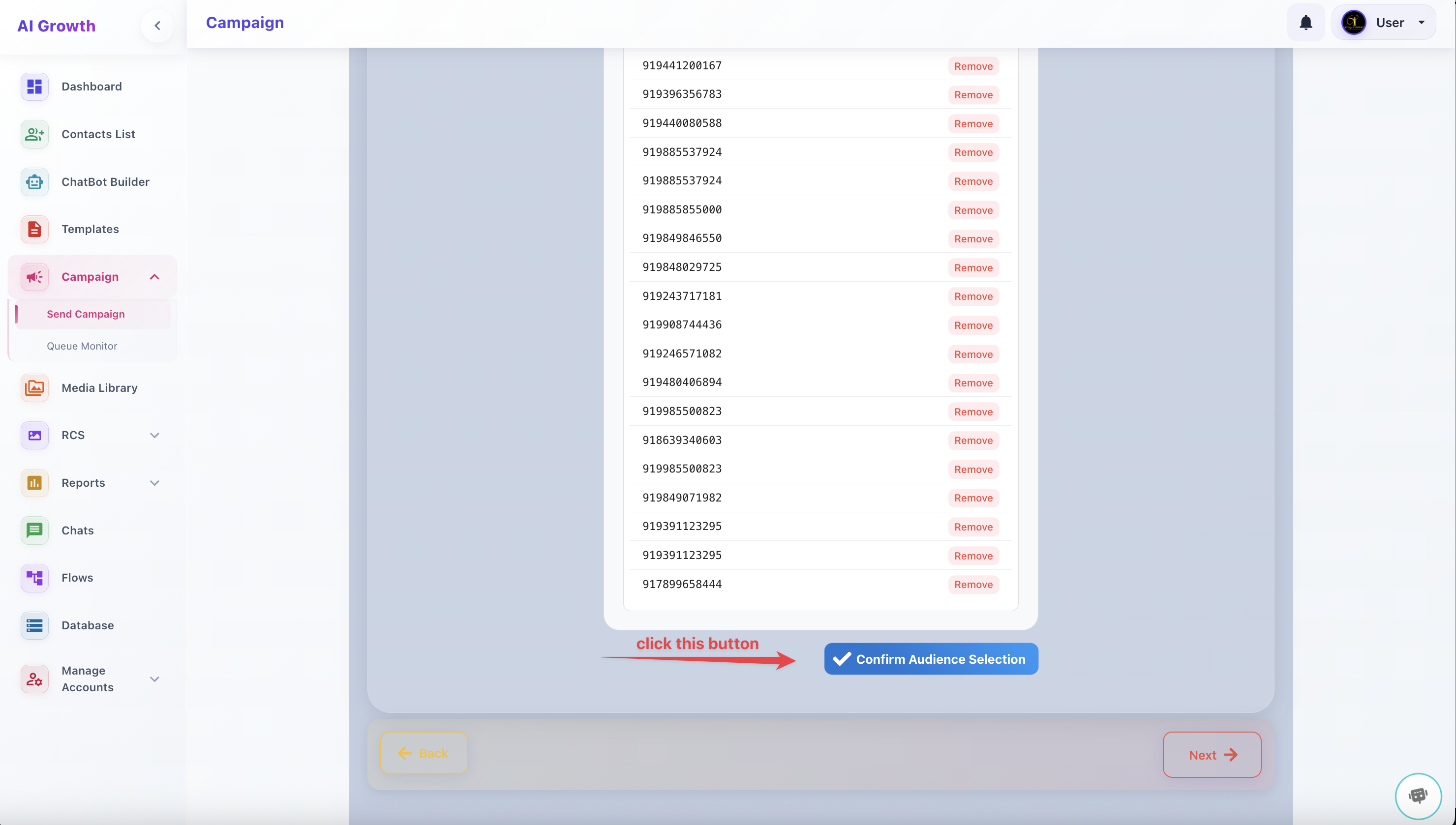
Click this Button
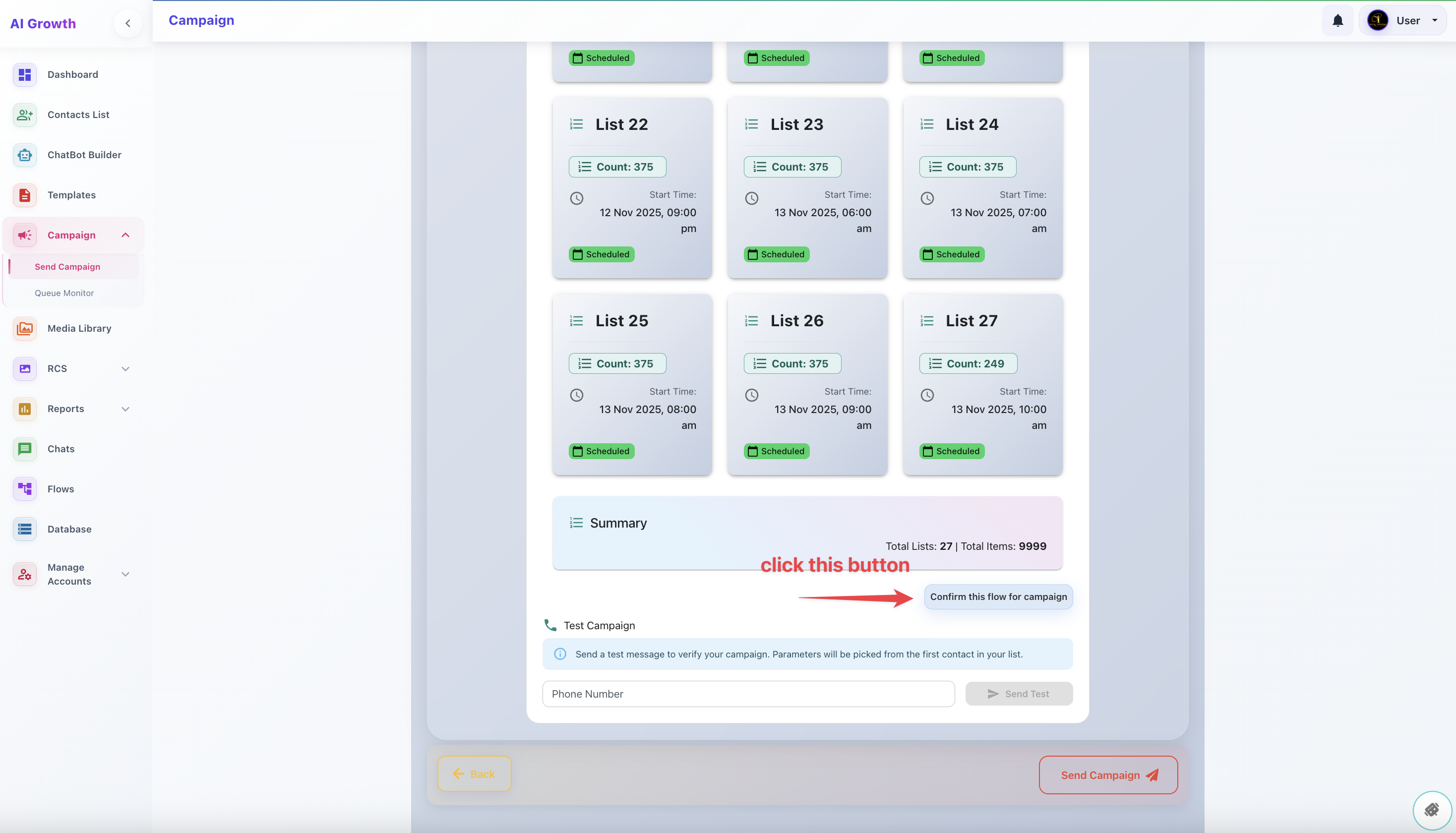
Click "USE AI DETERMINE CAMPAIGN FLOW" - For spliting
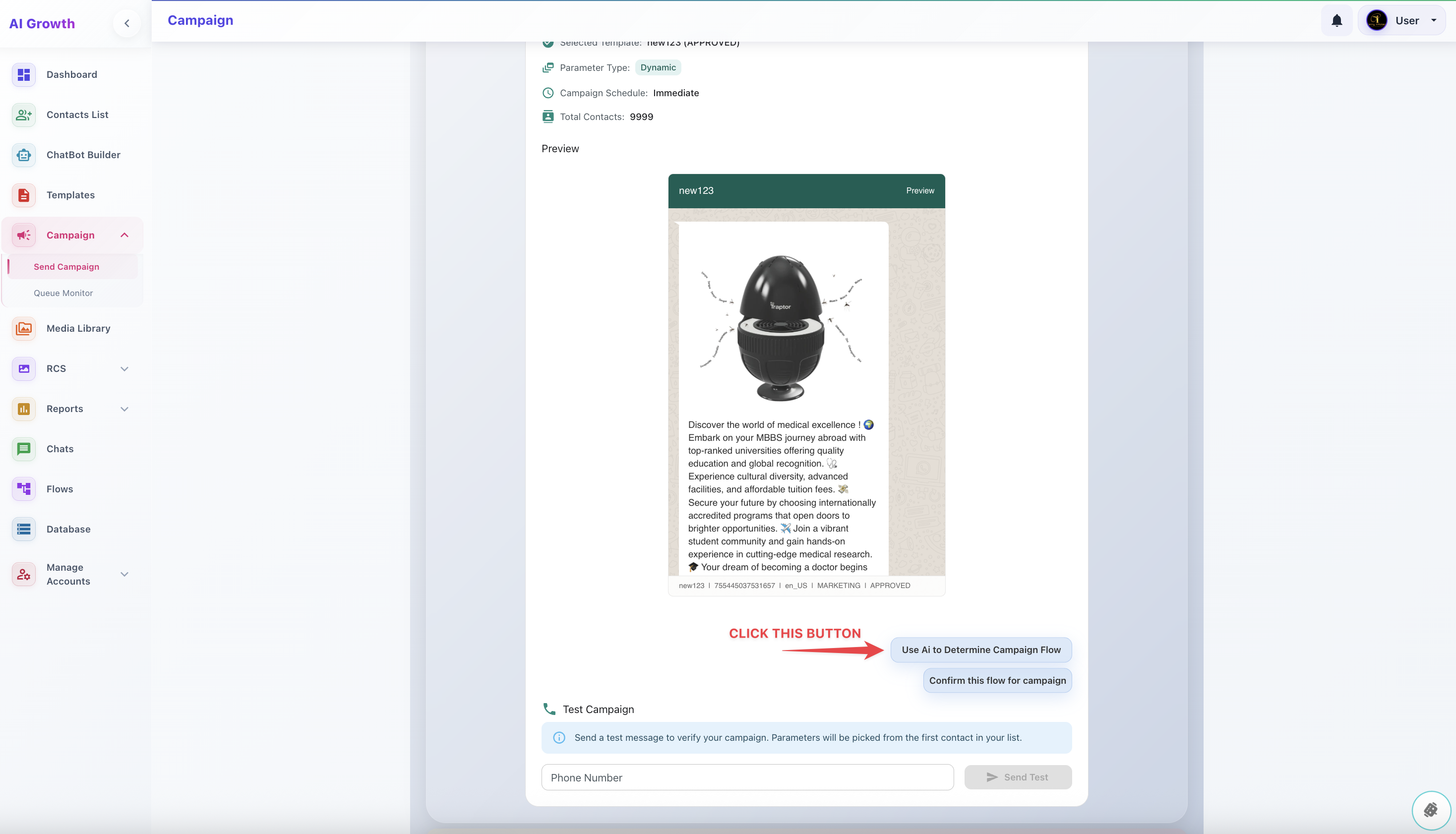
Then its split depend on our algorithm
If You recharge for AI - AI Will do campaign Interval of 1 hour 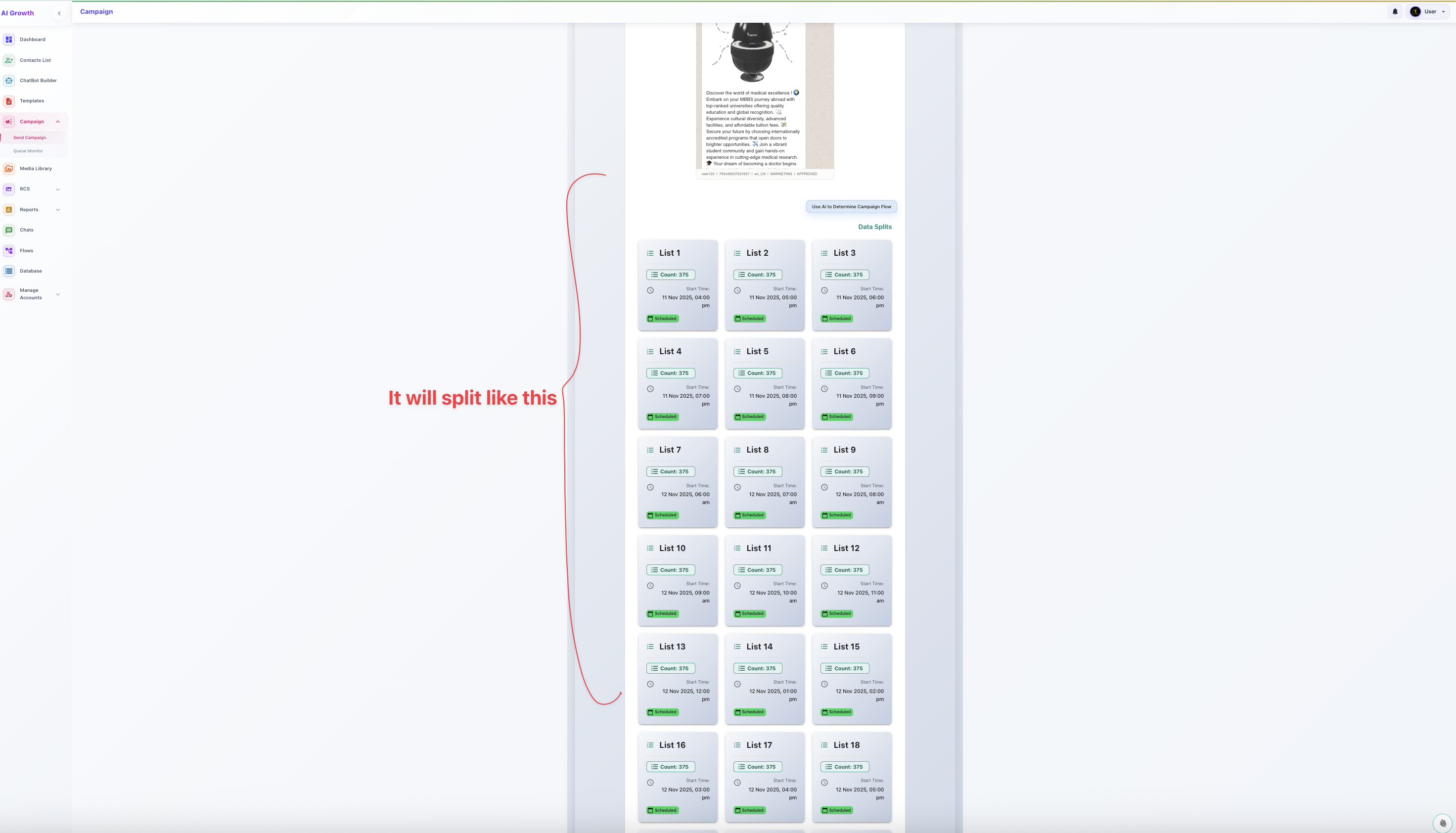
Finally click Conform Campaign will sent