
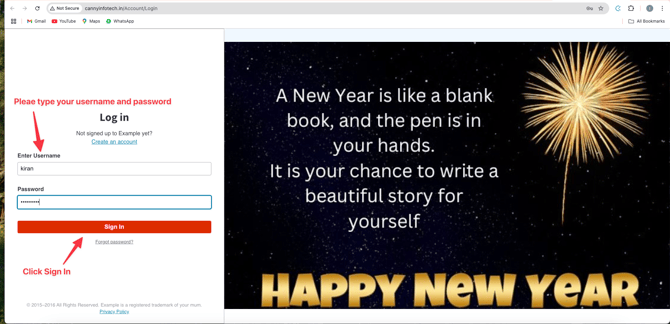
Step 1: Login to Your Account
- Enter your User Name and Password on the login page.
- If you don’t have your credentials, please contact your Account Manager for assistance.
- Once logged in, you’ll be directed to the Dashboard .
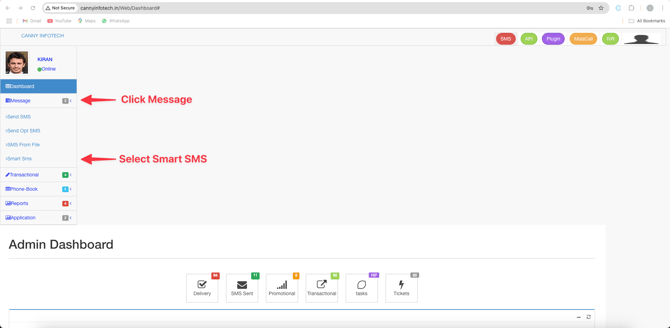
Step 2: Navigate to the Message Section
- On the left-side menu , click the Message option.
- From the dropdown, select the Smart SMS option.
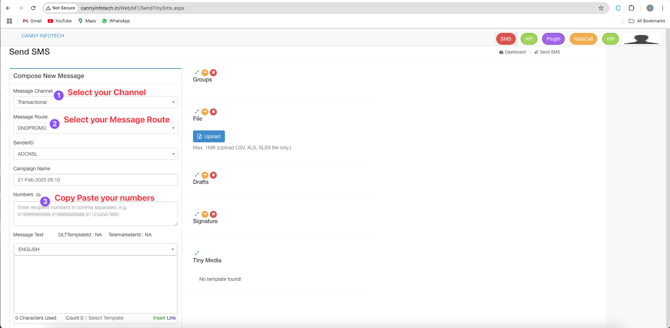
Step 3: Choose the Correct Message Channel
- Before sending an SMS, ensure that the message template has been approved by the operator . You cannot send custom messages directly.
- Select the appropriate message channel :
- For marketing messages , choose Promotional .
- For non-marketing messages , choose Transactional .
-
Step 4: Assign the Message Route
- The message route will be assigned automatically based on your selection.
- For example, if you’re sending promotional messages, you can select the DNDPROMO route.
-
Step 5: Add Recipient Numbers
- Copy and paste the recipient phone numbers into the designated field.
- The system will automatically assign commas between the numbers.
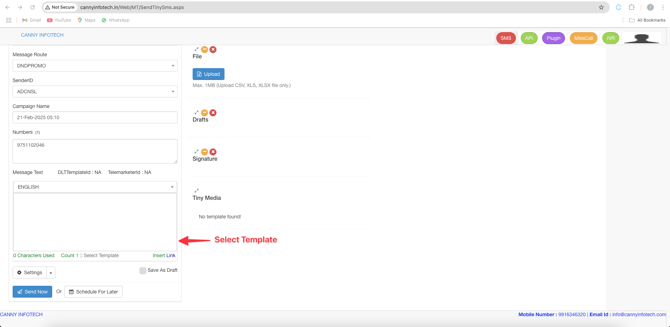
Step 6: Select and Customize the Template
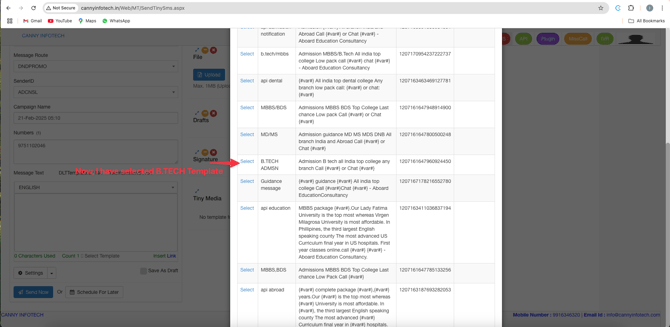
- Choose an approved message template from the list.
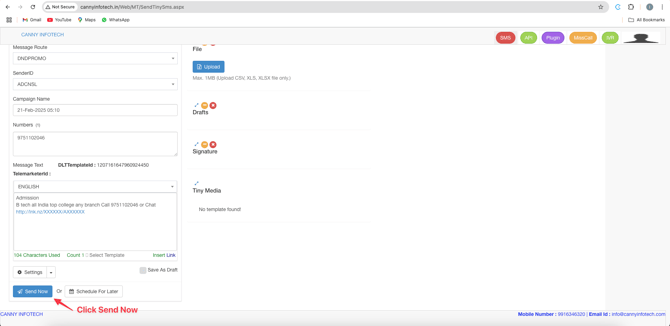
- Example: Select the B.TECH template.
-
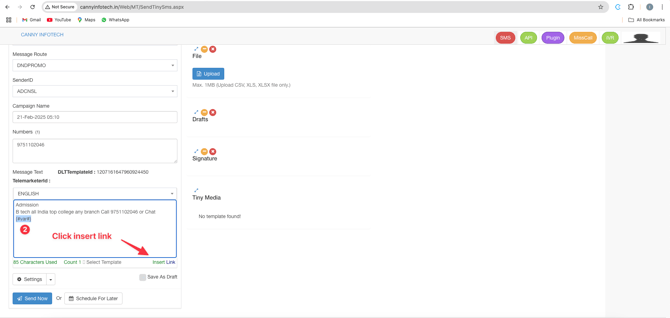
- Replace placeholders (variables) in the template with relevant information:
- Replace the 1st variable with the recipient’s number.
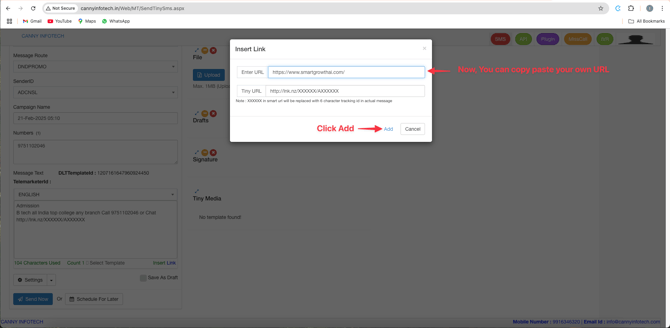
- Replace the 2nd variable with the desired link or additional information.
Step 7: Review Credit Usage
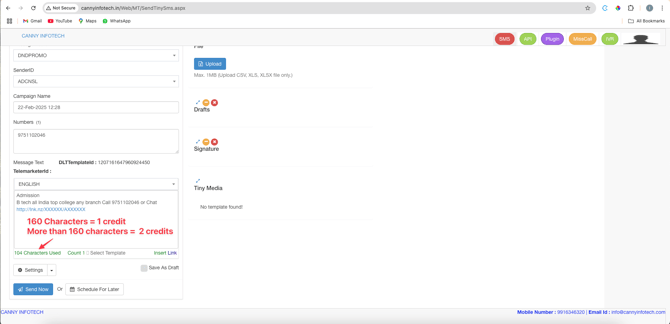
- Keep in mind the following credit rules:
- 160 characters = 1 credit
- More than 160 characters = 2 credits
Step 8: Send the SMS
- Click the Send Now button.
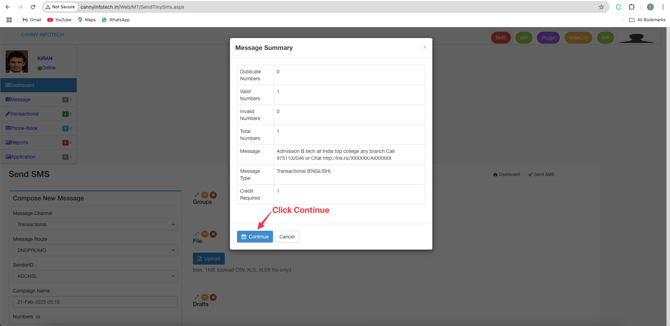
- Confirm your action by selecting Continue .
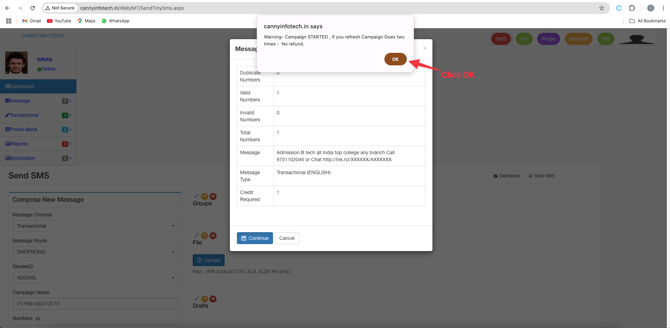
- Finally, click OK to complete the process.
Additional Tips
- Always ensure your templates are pre-approved to avoid delays.
- Double-check recipient numbers and message content before sending.
- Monitor your credit usage to stay within your allocated budget.